
Geographical Research Methods
Course Number: GESC258
Subject: Geography and Environmental Studies
Below is a brief guide to undertaking library research for peer-reviewed sources for your lab assignments. Examples from class are used where possible.
If you still need help, contact the Geography subject Librarian using the contact information at left
1. Initial first steps
- Break your research topic or question into concepts
- Run a few simple searches to determine what terms are used in different databases
- Create a search strategy you will run across multiple databases
2. Identifying your main concepts
Example topic: Activities in nature versus built environments
Added focus: University students' activities in nature vs. built environments
Possible research question: What are the effects of time spent in nature on university students?
Concepts identified:
- Student(s), Undergraduate, learner
- University, College
- Nature, natural environment, natural world, outdoors, park, conservation area
- Impact, Effect, Implication, Result
3. Creating your search strategy
1 = student OR undergraduate
AND
2 = University OR College
AND
3 = nature OR "natural environment*" OR "natural world" OR outdoors OR "conservation area"
Search string combining terms above:
(student OR undergraduate) AND (University OR College) AND (nature OR "natural environment*" OR "natural world" OR outdoors OR "conservation area")
- We didn't talk about this in the class workshop. You can literally copy/paste the above search string into any of our research databases and run it over and over again, and it will find results.
Another way of thinking about this is like a mathematical operation, as expressed below:
(1) + (2) + (3)
4. Search techniques for specific databases
- Remember: do not type in questions!
Boolean operators
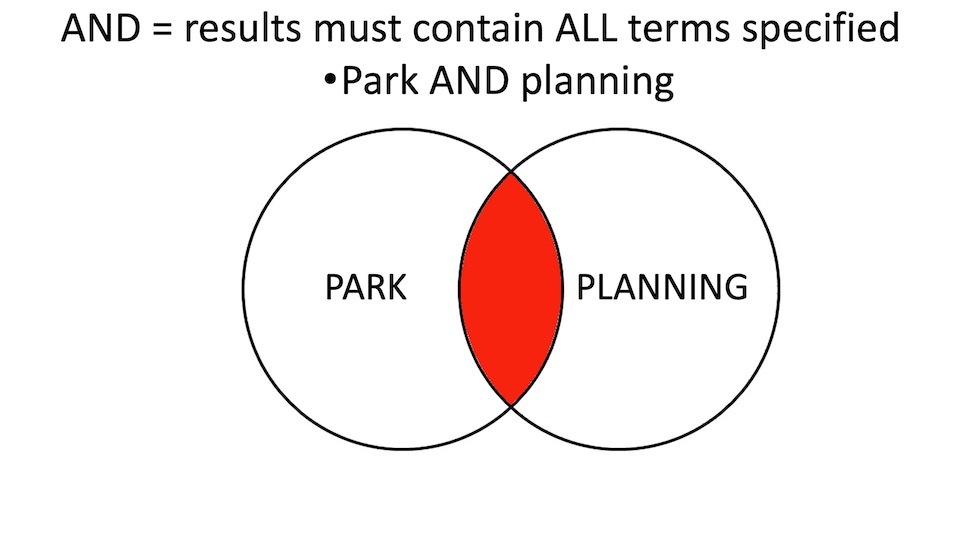
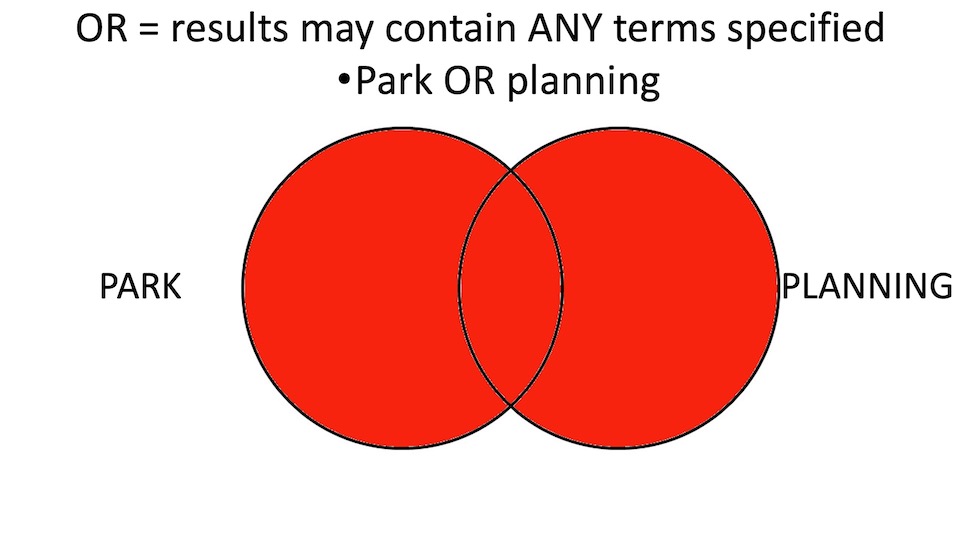
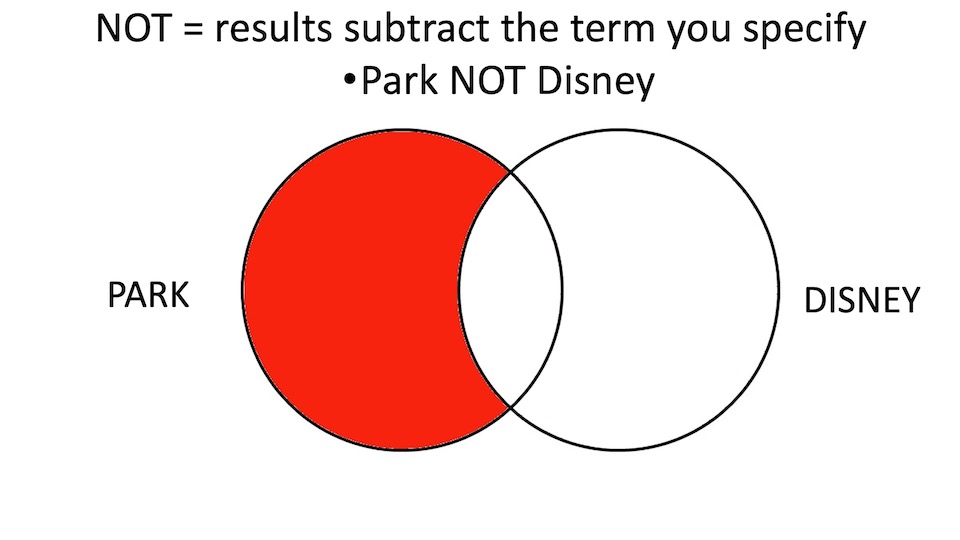
- use Boolean operators to combine concepts: AND, OR, NOT (see visual representations below)
- AND - results must contain ALL terms specified
- OR - results must contain ALL terms specified
- NOT - results subtract the term you specify
Exact phrase search
- “EXACT PHRASE” - double quotes around words indicate an exact phrase to be searched on
Wildcards and truncation
- ? * are the 2 main characters used
- Using the ? or * character in a word searches for spelling variants
- E.g.: wom?n = woman, women
- sustainab* = sustainable, sustainability
- This character replaces between 5 to 10 characters of a word, depending on the database used
Limiters
- These are usually applied to search results
- Web of Science example: Limit to "Articles" to ensure you're retrieving research articles (vs. conference proceedings, letters to the Editor, Opinion essays)
- You can limit to specific publication years
Visual representations of boolean searching
5. Additional help
Most databases have very good additional help features, for example:
- Web of Science Advanced help
- Proquest LibGuide with Basic, Advanced help
Look for the Help or ? which is usually found at right top or bottom of database pages